
AIJIA, FOR YOUR EVERYDAY WORK

AIjia, your knowledge hub and everyday assistant

Plan, write, create presentations, analyze spreadsheets, and work in the browser to deliver useful results.

First time here? Read the getting-started guide ↗

  • Phone or email sign-up
  • Desktop app for macOS / Windows
  • Get started with your own account

Work with AIjia to discuss plans, analyze data, write documents, and operate the browser.

Workshop presentation generated in AIjia
  1. Add your files
  2. Describe the task
  3. Review the result
Explore the full delivery workflow ↗

PRODUCT

Clarify ideas, write documents, analyze Excel data, and create presentations

From understanding a new concept to working with information and completing a task, AIjia helps you find what matters, see the next step, and produce results you can keep using.

Full product overview (Markdown) ↗
Project plan and three deliverables
01

Work with the context of your project

Add a local folder so each task can work with its reference files. Keep the context, working files, and deliverables together.

  • Use a local project folder as the workspace
  • Read, compare, and summarize multiple files
  • Open deliverables in the work panel
See the workflow ↗
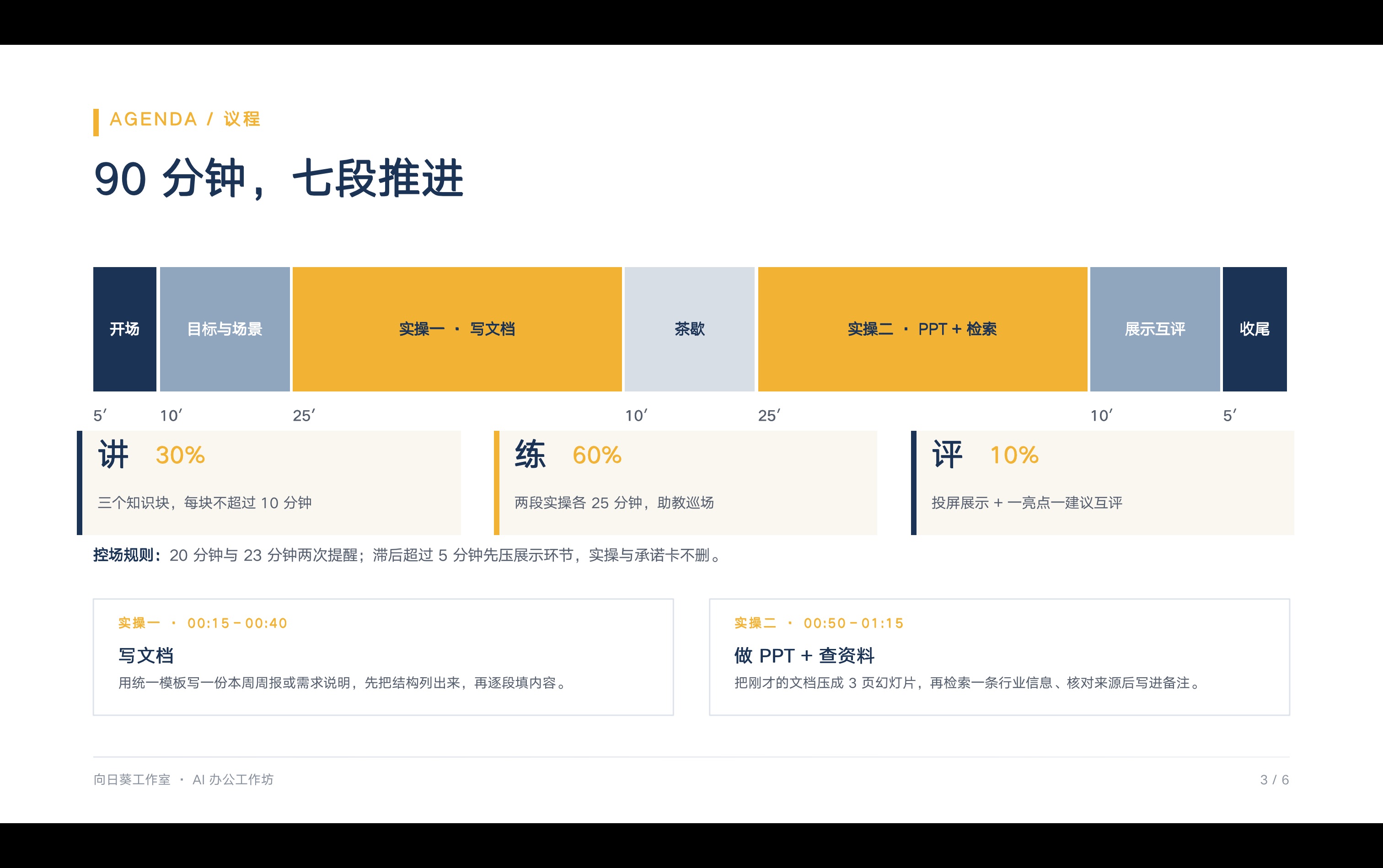
Generated PPTX agenda · shown in WPS
02

Take a request through to useful files

Describe the goal, then let AI break down the steps, use tools, and create files. Review the process and open each deliverable.

  • Generate plans, Word notices, and presentations for one task
  • Review plans, execution, and deliverables
  • Receive actual files you can open and reuse
See the workflow ↗
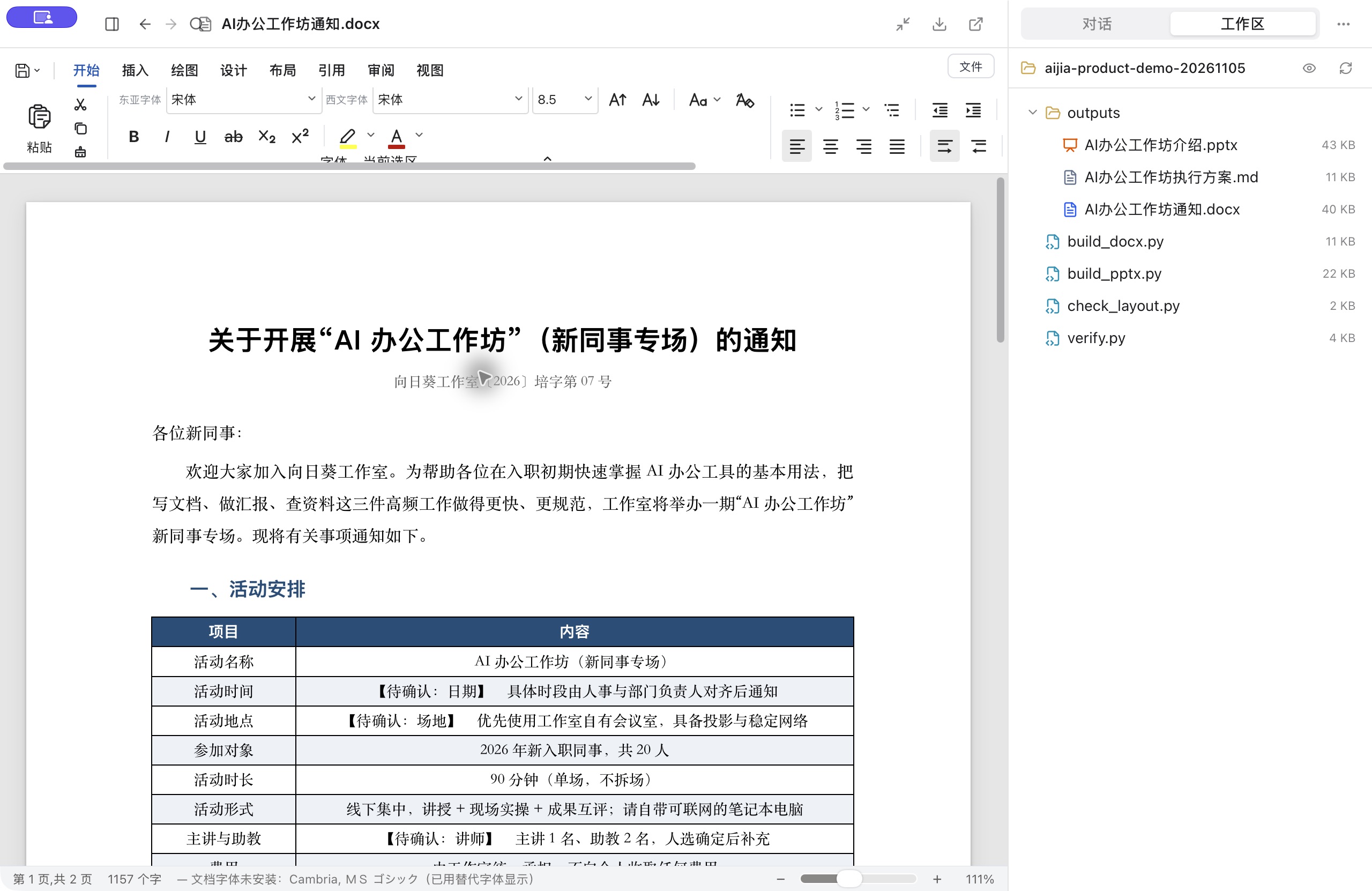
DOCX focus editor · fictional notice
03

Refine the work inside the document

Open the document to read, edit, and ask for changes. Select a passage and work with AI to refine the actual content.

  • Open multiple document formats
  • Revise, expand, or polish selected content
  • Save changes and review facts and layout
See the workflow ↗
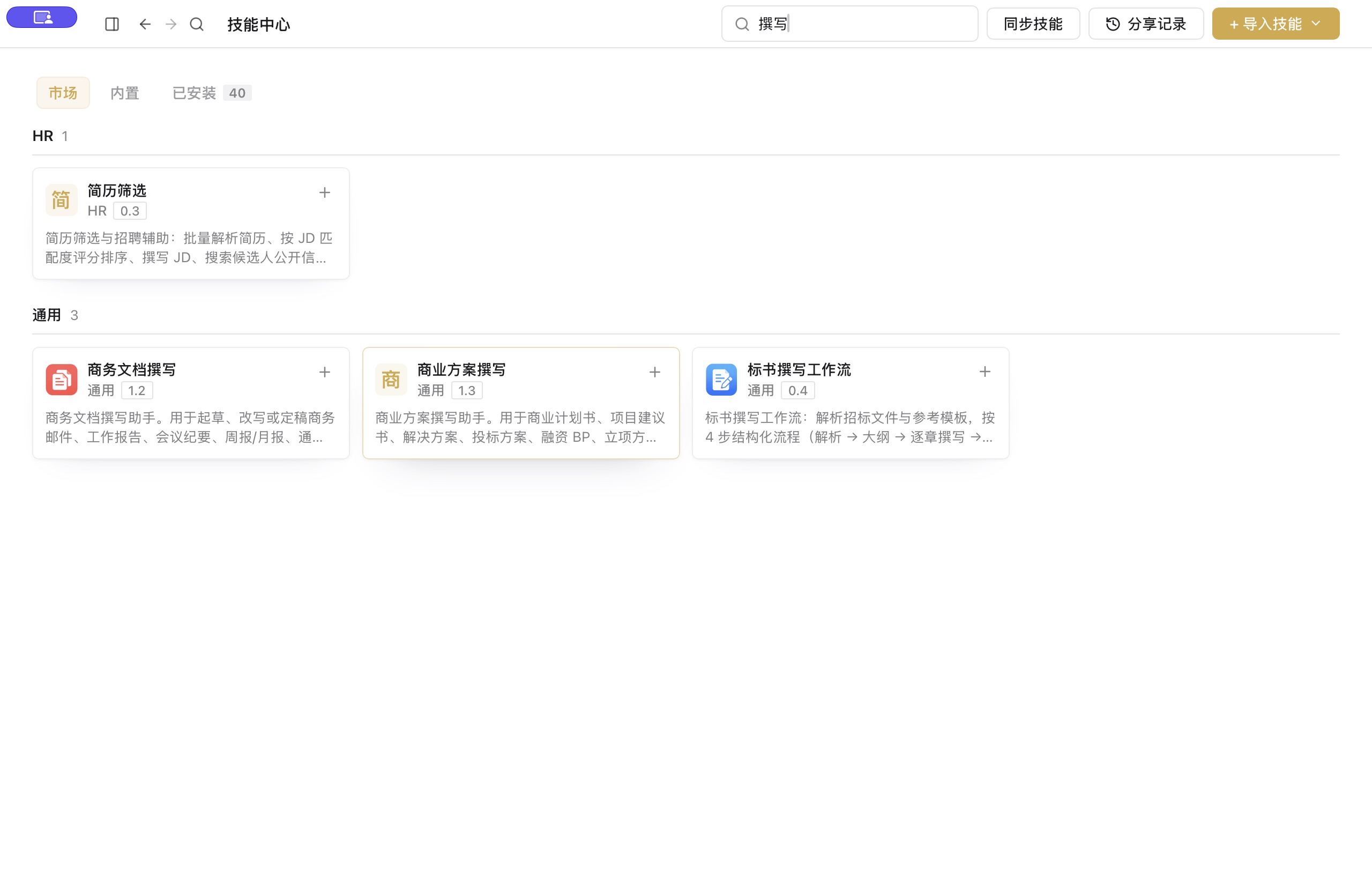
Skill center · writing, proposals, and tender workflows
04

Use tools and interact with the web

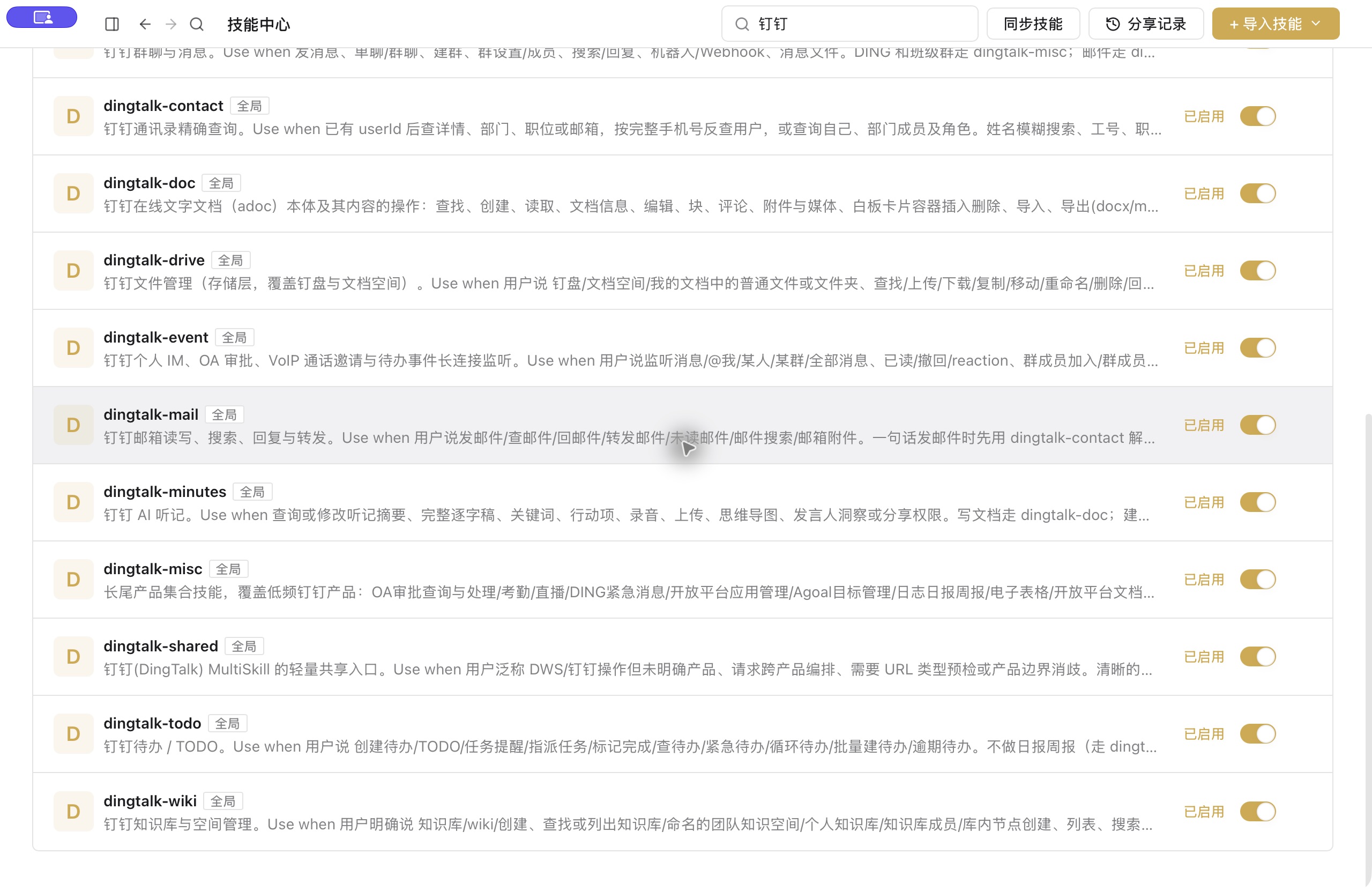
Combine research, file processing, and web interaction. Skills supply specialized workflows; connectors provide access to external tools.

  • Add skills for writing, planning, and other work
  • Open, read, click, fill, and capture web pages
  • Inspect connection status and take over for sign-in
See the workflow ↗
Installed DingTalk skills · capability entry points
05

Connect the systems you already use

Connect DingTalk, Rehcm, and Smart Payroll with CLI skills. Bring natural-language requests into business workflows under source-system permissions.

  • DingTalk dws: docs, notes, calendars, and AI tables
  • Rehcm: employees, onboarding, organizations, and roles
  • Smartcb: payroll groups, variable data, and cost reports
See the workflow ↗
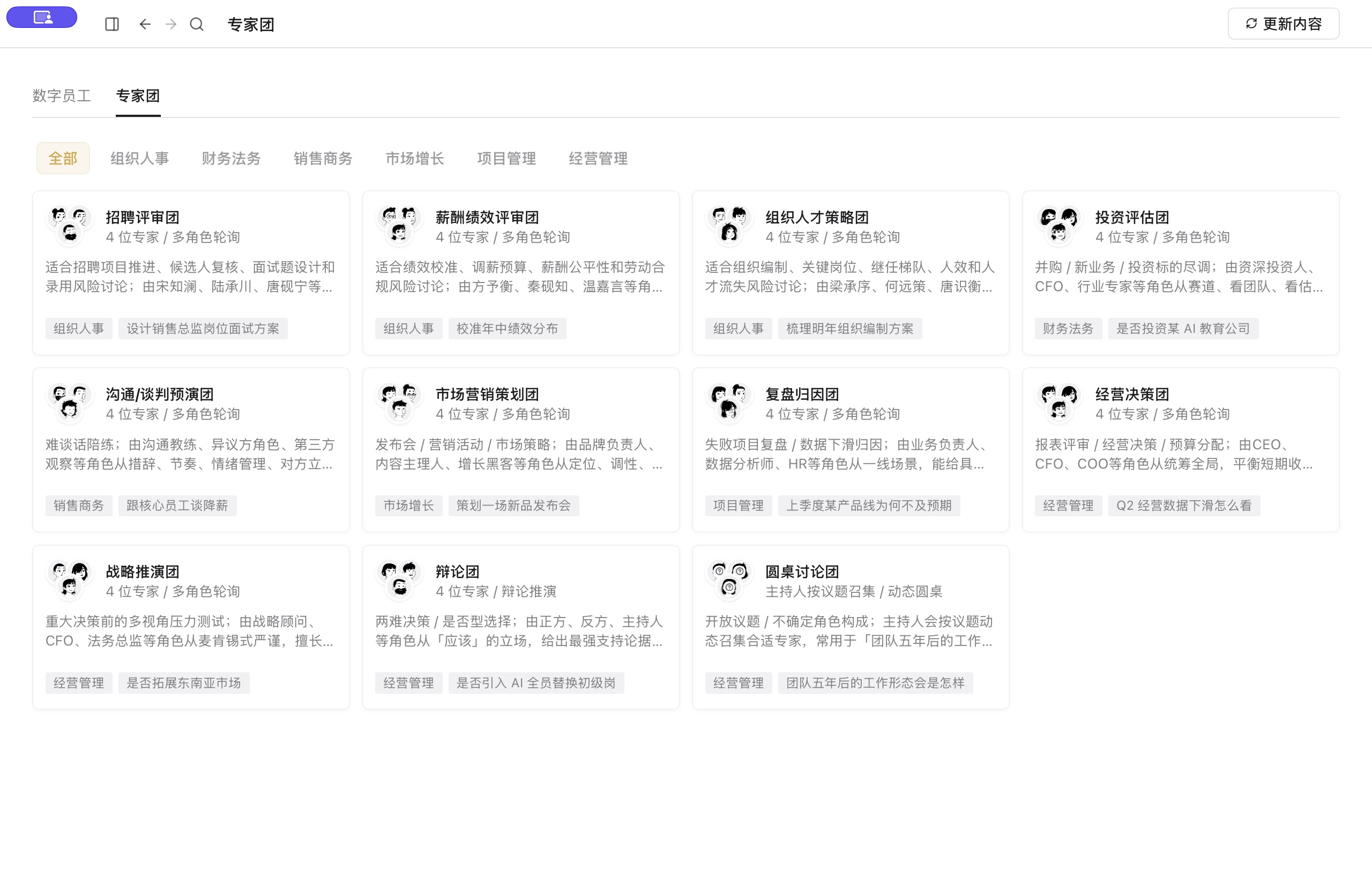
Expert panels · actual entry points
06

Collaborate by role and reuse your workflows

Choose a digital employee or expert panel for another perspective. Schedule recurring checks and summaries and review execution history.

  • Discuss planning, reviews, and business questions by role
  • Capture repeatable methods in skills
  • Keep the local service running for scheduled tasks
See the workflow ↗

For individuals

Start with a task on your desk

Work on a plan, document, presentation, spreadsheet, or web research and create a useful result.

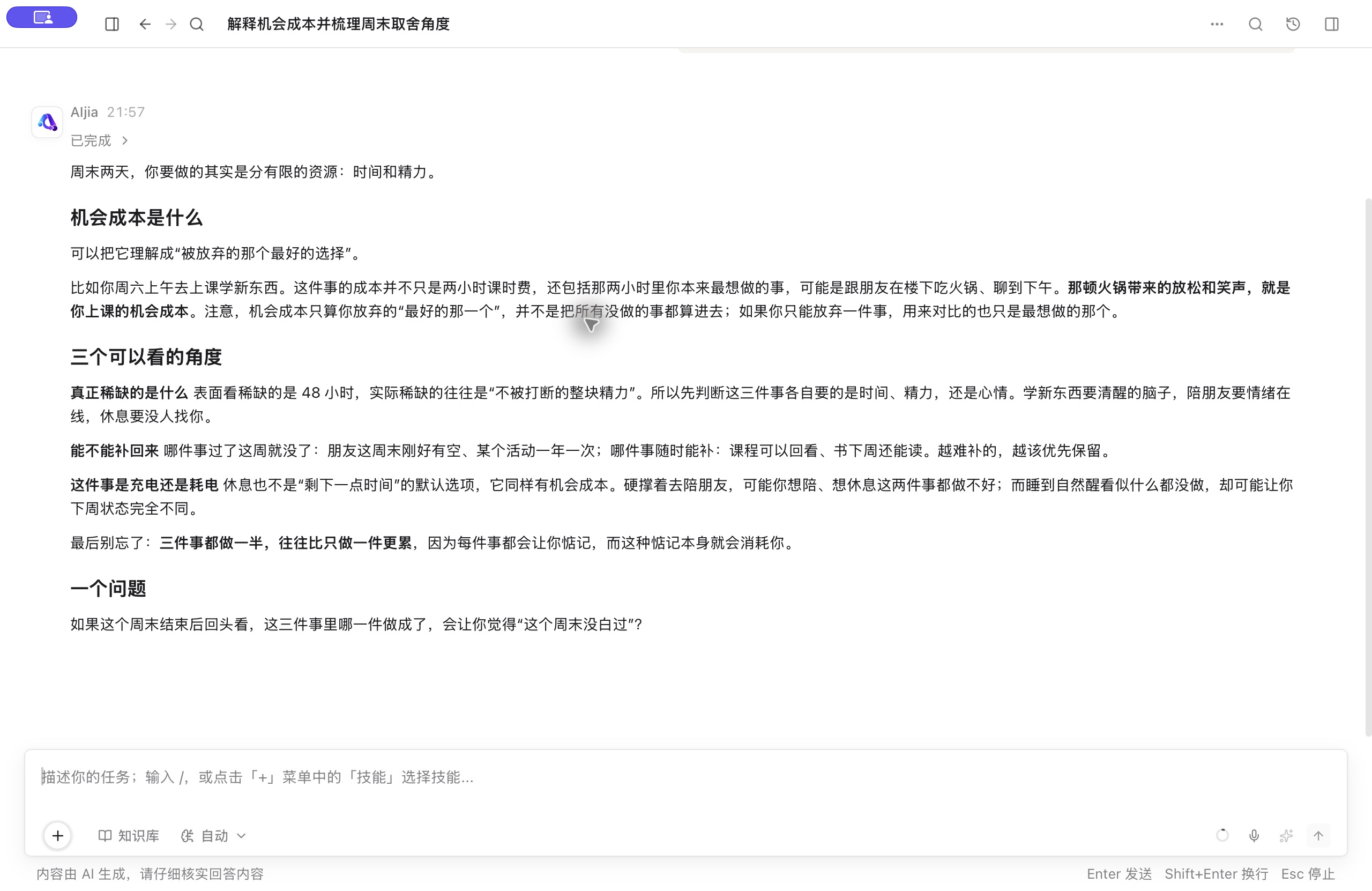
Knowledge explanation and decision discussion in AIjia

KNOWLEDGE & THINKING

Stuck for ideas? Think it through with AIjia

Bring a question, explore the concepts, and consider other perspectives to make your thinking clearer.

  • Understand a conceptExplain it with a familiar example
  • Think through a choiceClarify criteria, trade-offs, and concerns
  • Frame the problemFind what is really holding you back
  • Rehearse a conversationPractice from another perspective
Explore this workflow ↗
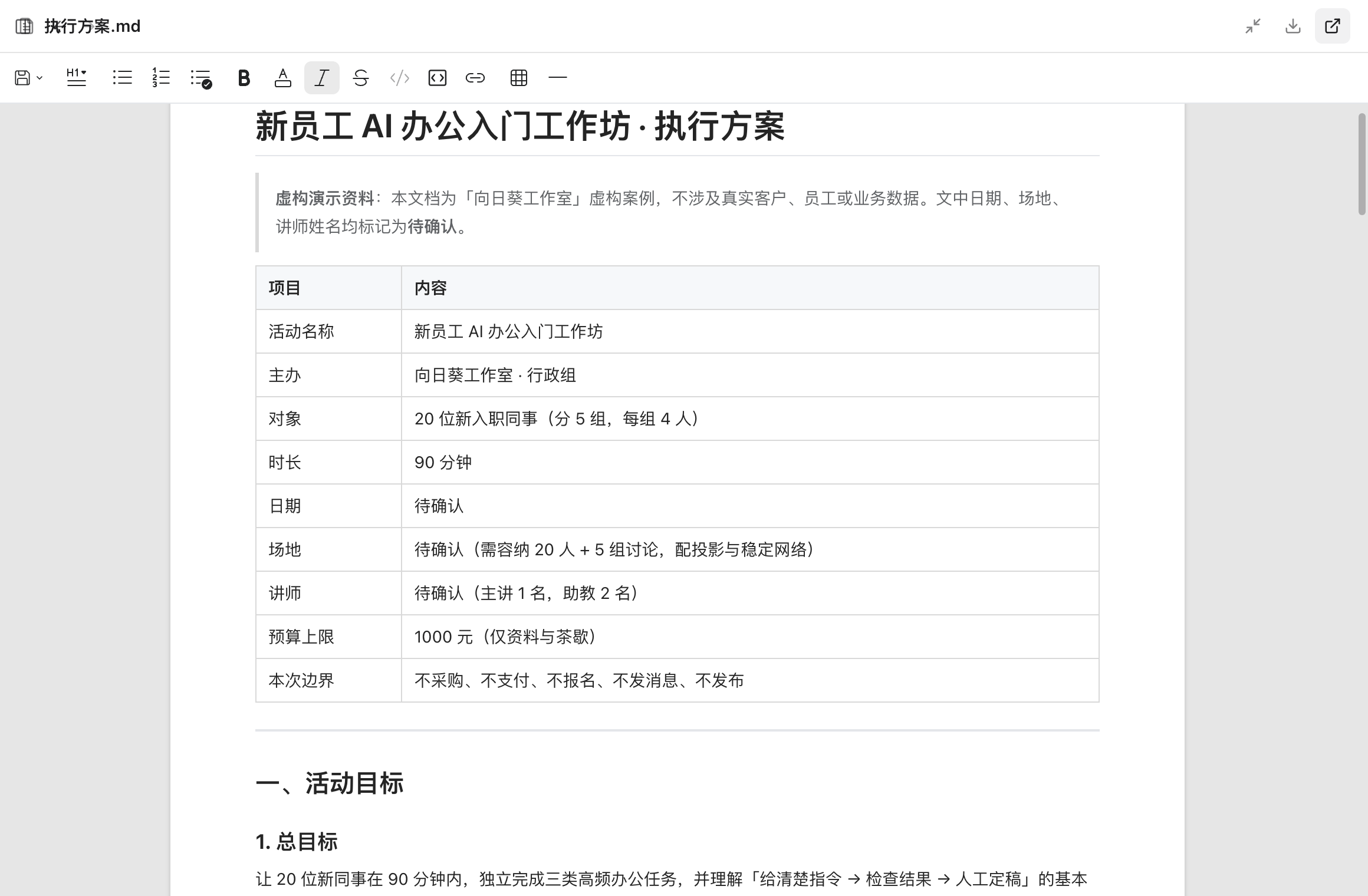
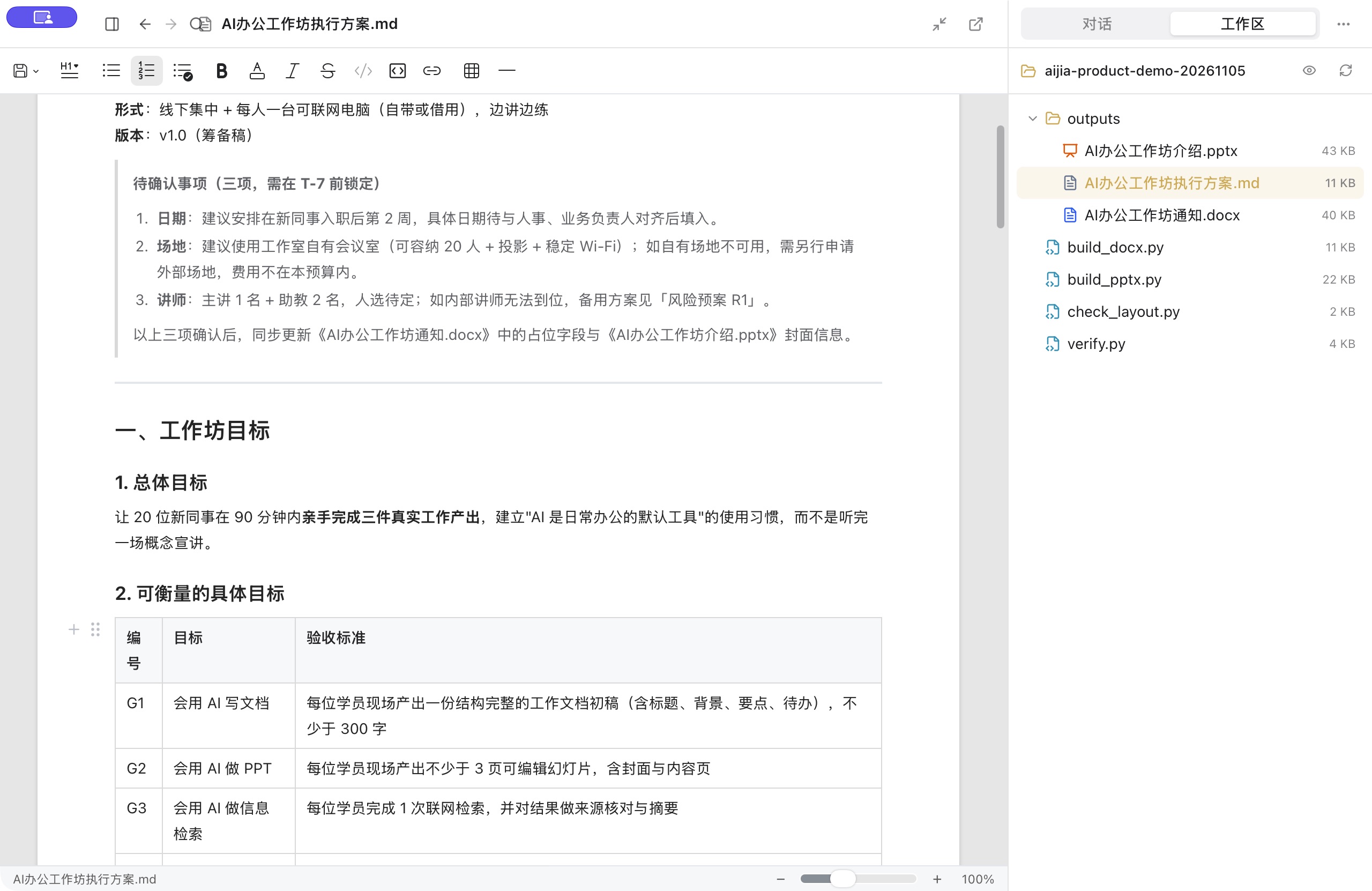
Plan editor · fictional workshop example

Plan a project

Draft event plans, project proposals, solutions, and business plans. Clarify goals and constraints, then develop the argument and actions.

Explore this workflow ↗
Generated DOCX open in AIjia · fictional example

Write documents

Create notices, meeting minutes, reports, and policies from reference files. Outline first, then draft and revise the document.

Explore this workflow ↗
6-slide PPTX generated in AIjia · shown in WPS

Create presentations

Turn a brief into a project update, training deck, or product presentation built around your audience and message.

Explore this workflow ↗
Spreadsheet task example · input only

Analyze spreadsheets

Check, summarize, and compare Excel, CSV, and supporting files. Agree on definitions before interpreting results and exceptions.

Explore this workflow ↗
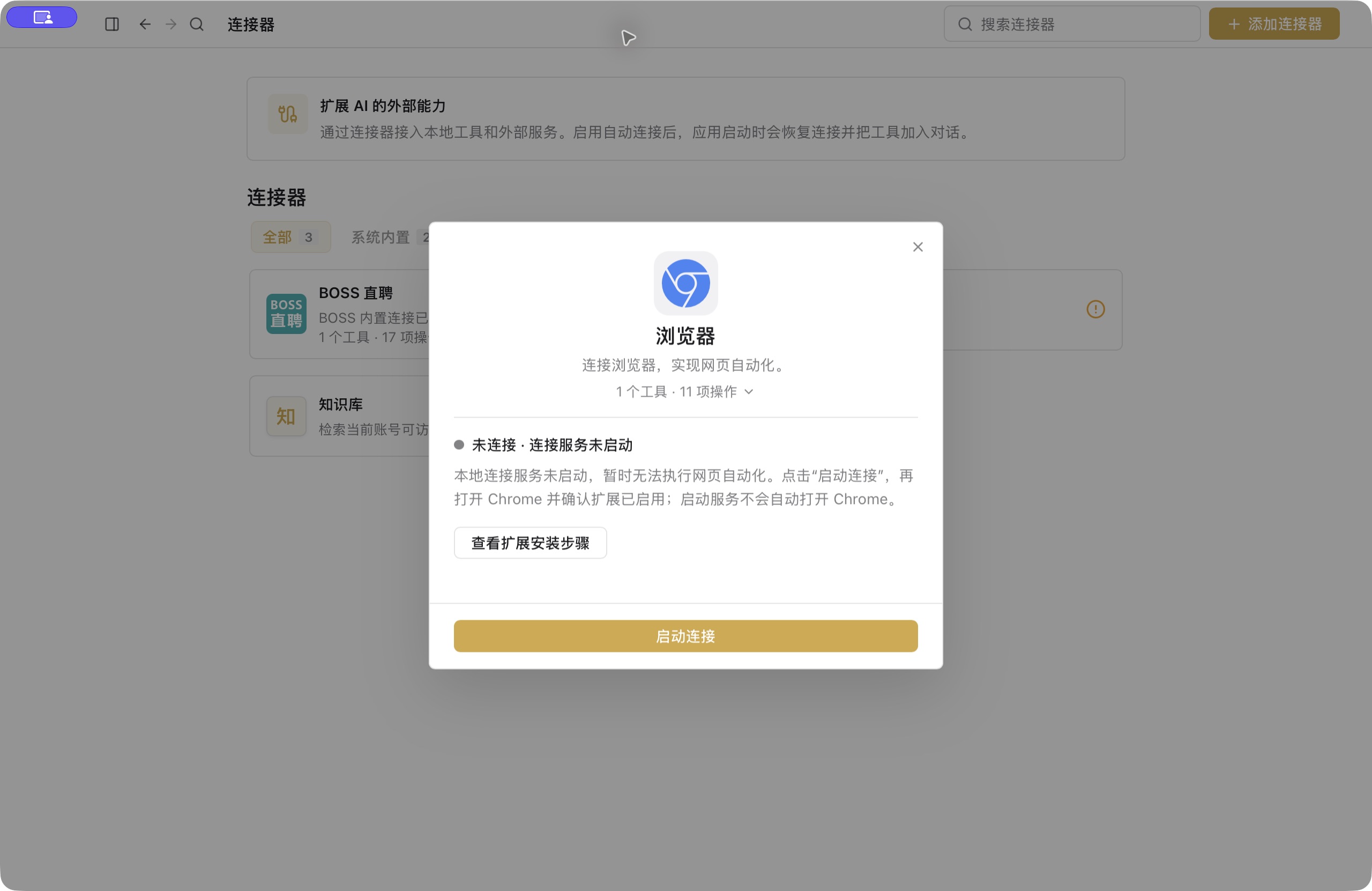
Browser connector · setup state before connecting

Use the browser

Research public sources, read pages, collect information, and interact with authorized business pages. Take over for sign-in or verification when needed.

Explore this workflow ↗

Start using AIjia

  1. 01

    Register on the website

    Use phone or email; no organization is required.

  2. 02

    Install and sign in

    Download the desktop app for your computer and use the same account.

  3. 03

    Complete a sample task

    Add files, describe the goal, then open and review the result.

You can also download the app first and create a personal account on its sign-in screen.

Personal use FAQ

Do I need an organization for personal use?

No. Create a personal account, install the desktop app, and sign in with the same account.

Can I download the app before creating an account?

Yes. Download and install the app for your computer, then choose personal registration on its sign-in screen. You can also register on the website and use the same account in the app.

Is registration free, and how is usage billed?

Registration is free. AI usage consumes points; your account shows current balance, pricing, and top-up rules.

Can I get Word and PowerPoint files?

Specify DOCX or PPTX and check the delivered file. The fictional demo includes both. Output and preview behavior depend on skills, runtime, and app version.

What do browser and scheduled tasks require?

Configure and authorize the relevant browser connector or skill. Local scheduled work requires the computer and service to remain running.

For teams

Bring office and business tools together

Start with authorized data and prepare queries, analysis, and coordination across office, HR, and payroll tools.

DingTalk skill entries · no private office data

DingTalk: turn information into action

Read authorized notes, docs, and calendars to prepare minutes, owners, and action drafts.

  • Dws CLI and relevant DingTalk skills
  • Review before writing or sending
Explore this workflow ↗
Rehcm CLI skill entry

Rehcm: onboarding and organization queries

Query employees, onboarding, departments, and roles to prepare readiness lists and open questions.

  • Rehcm CLI and its skill
  • Access follows the Rehcm account permissions
Explore this workflow ↗
Smart Payroll CLI skill entry

Smart Payroll: from checks to cost analysis

Query payroll groups, variable data, and cost reports. Check definitions and exceptions and prepare analysis.

  • Smartcb CLI and its skill
  • Payslip queries and distribution use a separate CLI
Explore this workflow ↗

Set up your team

  1. 01

    Set up the organization

    Configure members, permissions, and usage budgets.

  2. 02

    Install the app

    Members use the sign-in method provided by the organization.

  3. 03

    Authorize business tools

    Install the relevant CLI and skills and authorize each system.

Team use FAQ

How do team members get started?

An administrator sets up the organization, members, and permissions. Members install the app and use the organization’s sign-in method.

Does signing up grant access to business data?

Install the relevant CLI and skills and authorize each source system. Signing up does not automatically grant access to business data.

How are queries and business changes handled?

Query and verify the scope first. Confirm the target and content before employee changes, salary adjustments, messages, or payslip distribution.

Where do administration and daily work happen?

Administrators manage organizations, members, permissions, and usage on the tenant website. Members perform daily tasks in the desktop app.

ADVANCED WORKFLOWS

Connect the steps across your tools

Go beyond a single task and see how research, tools, review, and delivery fit together.

01

A complete workshop delivery package

One brief becomes a plan, Word notice, and presentation with consistent facts.

Explore the full workflow ↗
02

From a meeting to documents and actions

Connect DingTalk meeting notes, document drafts, and reviewed action items.

Explore the full workflow ↗
Browse advanced cases and resources ↗

LEARN BY DOING

Learn by doing, one useful task at a time.

Follow practical guides with sample files and prompts for real tasks.

MAKE ROOM FOR BETTER WORK

Start with your first task.

Create your account, download the app, and work through one task with AI.

Registered on your phone? Visit the website on a computer to download and install the desktop app.

Registration is free. AI services consume points based on usage. Check your account for balance, pricing, and top-up rules.

Changelog